GolfBays

Loved by 10,000+ Happy Golfers

FlightScope Golf Simulators & Launch Monitors

FlightScope launch monitors are built for golfers who want serious practice data without being tied to one fixed setup. Using radar-based tracking, with Fusion Tracking on models such as Mevo Gen 2, Mevo+ and X3, FlightScope is a strong choice for players who want one launch monitor for range sessions, indoor practice, home golf simulation and coaching work.
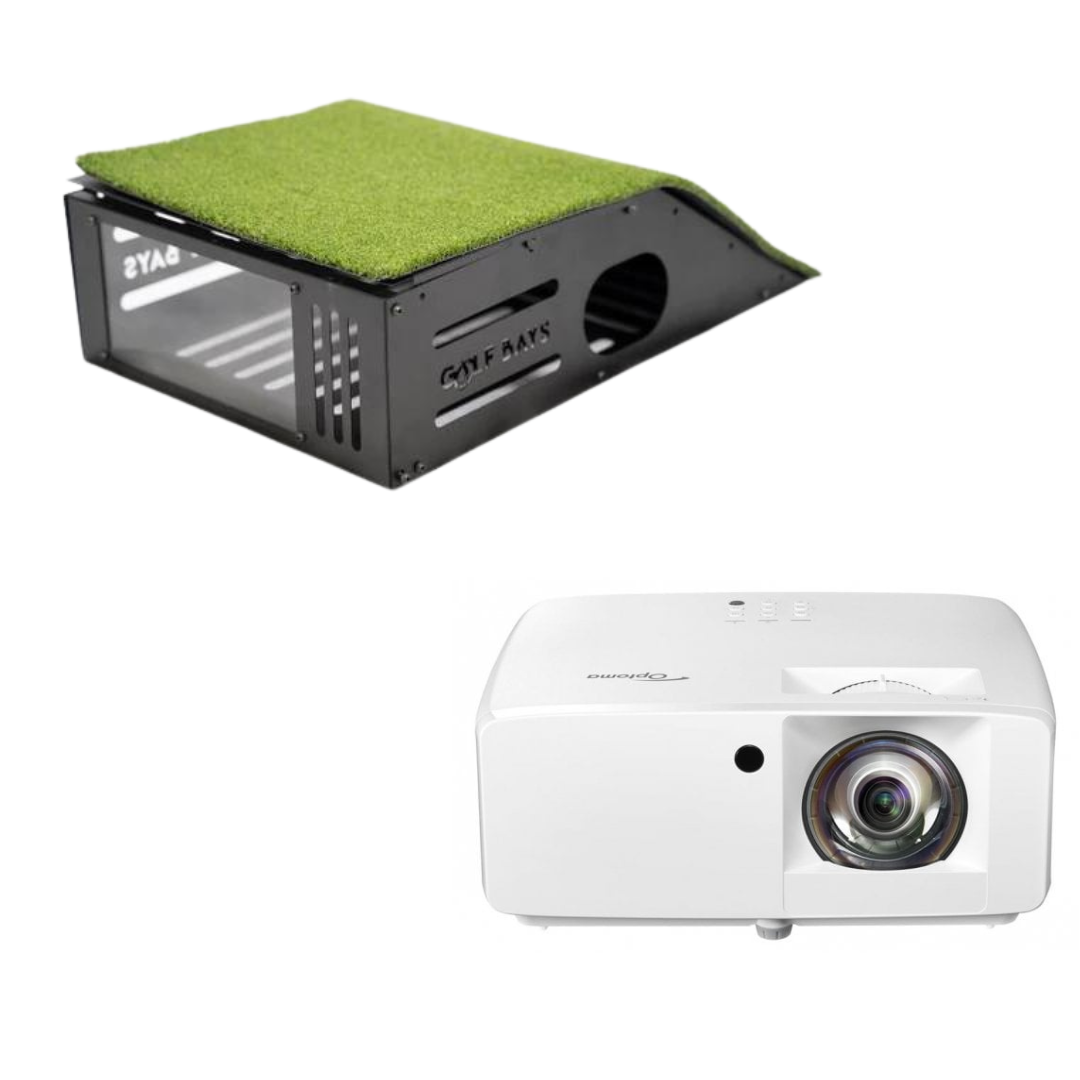
With GolfBays, you can shop the FlightScope Mevo Gen 2, FlightScope Mevo+, and FlightScope X3, alongside simulator packages, upgrades, and a bunch of handy accessories.

Whether you’re building a home golf simulator, upgrading your practice sessions or creating a more data-led coaching space, we’ll help you choose the FlightScope setup that fits your space and the way you want to play.

11 PRODUCTS

Flightscope Mevo Gen 2 Golf Launch Monitor
4 Reviews

Flightscope Mevo Gen 2 Golf Launch Monitor

QAR 4.985,00
Flightscope Mevo Gen 2 SimBox Home Golf Simulator Full Package
1 Review

Flightscope Mevo Gen 2 SimBox Home Golf Simulator Full Package

QAR 9.355,00
Flightscope Mevo+ Golf Launch Monitor
5 Reviews

Flightscope Mevo+ Golf Launch Monitor

QAR 8.980QAR 4.366,00 Save: QAR 4.614

Sold Out

GolfBays Flightscope Mevo+ Protective Metal Case & Alignment station
4 Reviews

GolfBays Flightscope Mevo+ Protective Metal Case & Alignment station

QAR 333,00
GolfBays

BOOK A CONSULTATION

Experience GolfBays in Action!

Book a Free Consultation
FlightScope X3 Golf Launch Monitor

FlightScope X3 Golf Launch Monitor

QAR 59.842,00
FlightScope Mevo + 2024 Edition SimBox Home Golf Simulator Full Package
1 Review

FlightScope Mevo + 2024 Edition SimBox Home Golf Simulator Full Package

QAR 13.982QAR 12.547,00 Save: QAR 1.435
Face Impact Location for Mevo+ / Gen 2 Pro Package

Face Impact Location for Mevo+ / Gen 2 Pro Package

QAR 1.996QAR 1.198,00 Save: QAR 798
Mevo+ / Gen 2 Pro Package

Mevo+ / Gen 2 Pro Package

QAR 3.992QAR 2.395,00 Save: QAR 1.597
Awesome Golf Lifetime Membership

Awesome Golf Lifetime Membership

QAR 1.456,00

Sold Out

Flightscope Mevo + 2024 Edition GolfBays Lux Home Golf Simulator

Flightscope Mevo + 2024 Edition GolfBays Lux Home Golf Simulator

QAR 34.465QAR 33.031,00 Save: QAR 1.434
Pro Package & Face Impact Location For Mevo+ / Gen 2
3 Reviews

Pro Package & Face Impact Location For Mevo+ / Gen 2

QAR 6.232QAR 3.326,00 Save: QAR 2.906

Why choose FlightScope for your golf simulator?

The important thing with a brand like FlightScope is choosing it for the right reason.

These are radar-based launch monitors first and foremost, which means they are brilliant when you want flexible practice indoors, outdoors, on the range and in a simulator setup - Providing you have the right space, alignment and spin-capture conditions to help them perform at their best.

Get the setup right and FlightScope gives you a genuinely versatile route into data-led practice.

Great for golfers who practice in more than one place

FlightScope launch monitors make the most sense for golfers who don't want their practice restricted to a single room. If you want to use the same unit in a garage simulator, at the range, in a coaching session or outdoors with more ball flight to track, FlightScope is a powerful and practical choice for serious launch monitor data.

Advanced radar tracking for accurate ball flight data

FlightScope’s radar tech matters because it's built around tracking what your ball actually does after impact. That makes this collection appealing for players who care about launch, spin, carry, curve and shot shape.

Fusion tracking is a game-changer

On certain FlightScope models, Fusion Tracking combines radar with image processing to strengthen the data you get no matter where you're playing. That's a big plus because a launch monitor used outdoors, indoors and in limited-flight simulator conditions has to deal with very different tracking demands.

An ecosystem that lets you advance in stages

The FlightScope ecosystem lets you start with a launch monitor and core practice tools, before diving into software add-ons that take your training to the next level. The Pro Package and Face Impact Location upgrades give you scope to develop your setup into an even more advanced training aid.

For coaches, fitters, and dedicated training

FlightScope gear is popular with keen golfers and those who rely on its features in a professional capacity. With accessible launch monitors through to professional-level systems and add-ons, the ecosystem makes sense for coaches, fitters and players who want data to explain ball flight, diagnose patterns and make better practice decisions.

FlightScope rewards a properly planned setup

FlightScope gear is not always the best answer for a shallow room. Radar systems need space behind the ball, ball flight in front, good alignment and, indoors, often metallic dots or radar-friendly balls for better spin capture. But in the right space, FlightScope tech is excellent.

Frequently Asked Questions

Want 1-to-1 advice?

Choose the FlightScope Mevo Gen 2 if you want the best budget option in the range: portable radar tracking, indoor and outdoor use, 20 data parameters and an included eight-course E6 Connect bundle. Choose the FlightScope Mevo+ if you want a more simulator-focused setup, with a 12-course E6 Connect bundle and broader software options. Choose FlightScope X3 if you are coaching, fitting, or building a serious performance space where deeper data and full outdoor ball tracking matter.

The biggest thing to check is not just price. It's whether your room has enough depth for radar, because FlightScope units need space behind the ball and ball flight in front.

The FlightScope Mevo Gen 2 is the newer budget-friendly option. It gives you 20 data parameters, Fusion Tracking, a built-in camera, Wi-Fi connection, up to six hours of battery life, no subscription for core data and an eight-course E6 Connect bundle.

FlightScope Mevo+ is the more simulator-led option. It gives you 20+ data parameters, Fusion Tracking, a 12-course E6 Connect bundle, video with data overlay, practice tools and wider simulator software compatibility, including E6 Connect, The Golf Club 2019, Awesome Golf, Creative Golf 3D and GSPro.

Simply, choose Mevo Gen 2 if you want the newer, lower-cost all-rounder. Choose Mevo+ if the bigger E6 bundle and wider simulator software options matter more to you.

Yes, FlightScope gear can be excellent for a home golf simulator, but only if the room suits radar tracking. These units sit behind the ball, so you need enough space from the launch monitor to the hitting position and enough ball flight before the screen or net.

If you have the depth, FlightScope gives you a strong mix of simulator play, range-style practice and outdoor flexibility. If your room is shallow, a camera-based launch monitor may be the better buy.

For the FlightScope Mevo Gen 2, you need at least 16ft of indoor depth: 8ft from the unit to the ball and 8ft of ball flight. The unit should sit directly behind the golf ball and in line with the radar camera.

Don't only measure from the mat to the screen. You need to measure from where the launch monitor will sit, through the hitting area, to the impact screen or net.

Yes. The FlightScope Mevo Gen 2, Mevo+ and X3 can all be used indoors and outdoors. Outdoors, radar has more ball flight to track; indoors, setup becomes more important because the unit has less flight to work with.

That is why FlightScope is such a good fit for golfers who split practice between the range and a home simulator. It's also why you need to plan the room properly before buying.

For indoor simulator use, yes, you should plan for metallic ball dots or Titleist RCT balls if you want accurate spin measurement. This matters because radar has less ball flight to read indoors, so spin capture needs extra help.

For outdoor range use, this is less of an issue. For an indoor golf simulator, metallic dots can help you get the best out of your setup.

Yes, the FlightScope Mevo Gen 2 includes eight E6 Connect courses and works with E6 Connect, Awesome Golf and GSPro. It also includes FS Golf for practice and FS Skills challenges.

That makes it a good budget choice if you want launch monitor data and a route into simulator golf without immediately adding lots of extra software costs.

You do not need a gaming PC for basic FlightScope practice app use, but you may need a suitable Windows PC for simulator software. E6 Connect, GSPro and other simulator platforms each have their own hardware requirements.

For a proper home golf simulator, it's important not to treat the computer as an afterthought. The launch monitor captures the shot; the software and PC create the simulator experience.

The FlightScope Pro Package is a software upgrade for Mevo+ and Mevo Gen 2. It adds 11 extra data parameters, including club path, face to path, face to target, dynamic loft, vertical swing plane, horizontal swing plane, low point, vertical descent angle, curve, club speed profile and club acceleration profile.

Buy it if you want to understand how you delivered the club, not just where the ball finished. For serious practice, lessons or fitting, it is a big step up.

FlightScope Face Impact Location is an add-on for Mevo+ and Mevo Gen 2 that shows where the ball struck the club face. It adds lateral impact, vertical impact, face mapping and heat mapping, so you can see strike patterns across a session.

This is useful because not every bad shot is a swing-path issue. Sometimes the problem is much simpler: you are not finding the middle of the face.

Yes, FlightScope is a strong option for golf coaches because it combines portability, simulator software, video, skills testing and upgradeable club data.

Mevo Gen 2 and Mevo+ can work well for mobile coaching, indoor studios and simulator-based lessons. FlightScope X3 is the top-end option for coaches, fitters and performance facilities that need deeper data and full outdoor tracking.

For coaching, the value is not just the number of data points. It is being able to connect ball flight, club delivery, strike location and video into an explanation the player can understand.

Buy a FlightScope launch monitor on its own if you already have the right mat, screen or net, room depth, device and software plan.

Choose a GolfBays FlightScope simulator package if you want the main components matched from the start. With radar systems, the room matters as much as the launch monitor, so a package can help you avoid buying the right bit of tech for the wrong space.

Book a Free Consultation